This site has been through more than one home. In 2020, I upgraded my wordpress hosting plan and changed my blog address to to blog.jasonnguyenvn.com. At the time, I wanted to write regularly again, and the WordPress hosting service gave me a straightforward place to do it. Later, I moved the entire blog to jasonnguyenvn.com, dropping the blog. subdomain.
Years later, I wanted more control over the content and the design. I also wanted a simpler publishing setup: edit files, build the site, check the result, and deploy the finished pages. That led me to move this site to Cloudflare Pages as a static website.
The difficult part was not serving HTML. It was making sure years of writing, photographs, and links survived the move.
Start with the archive
I exported the WordPress site as XML. That export gave me the posts, pages, dates, categories, tags, and attachment records I needed to reconstruct the archive. It was a starting point, not a complete deployable website: the images and embeds still needed attention.
I asked Codex to help rebuild the site from that export. My first prompt was roughly:
Rebuild my blog as a static HTML website using this WordPress export. Preserve the posts, pages, dates, categories, tags, media, and existing URLs. Create the homepage and archive pages, and produce a site I can host on Cloudflare Pages.
Codex wrote a one-time migration script to read the export and generate the first static version. Its report counted almost 90 published posts, nine published pages, and 182 attachment records. I used that report to catch gaps rather than assuming that a successful script run meant a complete migration.
Media was the messiest part. Many images could be copied into this site's assets, but an old image hosted elsewhere failed to download. Flickr embeds needed their own handling so that they still pointed to the correct photographs and albums. Those details mattered more to me than getting a new homepage online quickly: a blog with missing images is an incomplete archive.
Make the content editable again
The first result was a working static site, but I also wanted to keep writing without editing generated HTML. My next request to Codex was roughly:
Make the imported content editable as Markdown files with front matter. Write a build script that generates the whole static site from those sources, without reading the WordPress export on every build. Keep the existing URLs, media, and special embeds working.
With Codex's help, I moved the articles into sources/posts/ as Markdown files. Each post has front matter for its title, original date, categories, tags, featured image, and permalink. Pages live in sources/pages/; images and other media live in sources/assets/media/.
The WordPress export is now an archive of the old system. I do not need to parse it every time I publish. New posts are files I can edit directly, and the site is generated from those files. A few old articles retain some HTML inside their Markdown because converting unusual WordPress markup would have damaged their content.
Keeping the old URLs was a deliberate choice. Existing links to an article should still reach that article after a hosting change. The build also writes a small _redirects file for routes that really did move. Cloudflare Pages supports redirects from that file.
Build first, then publish
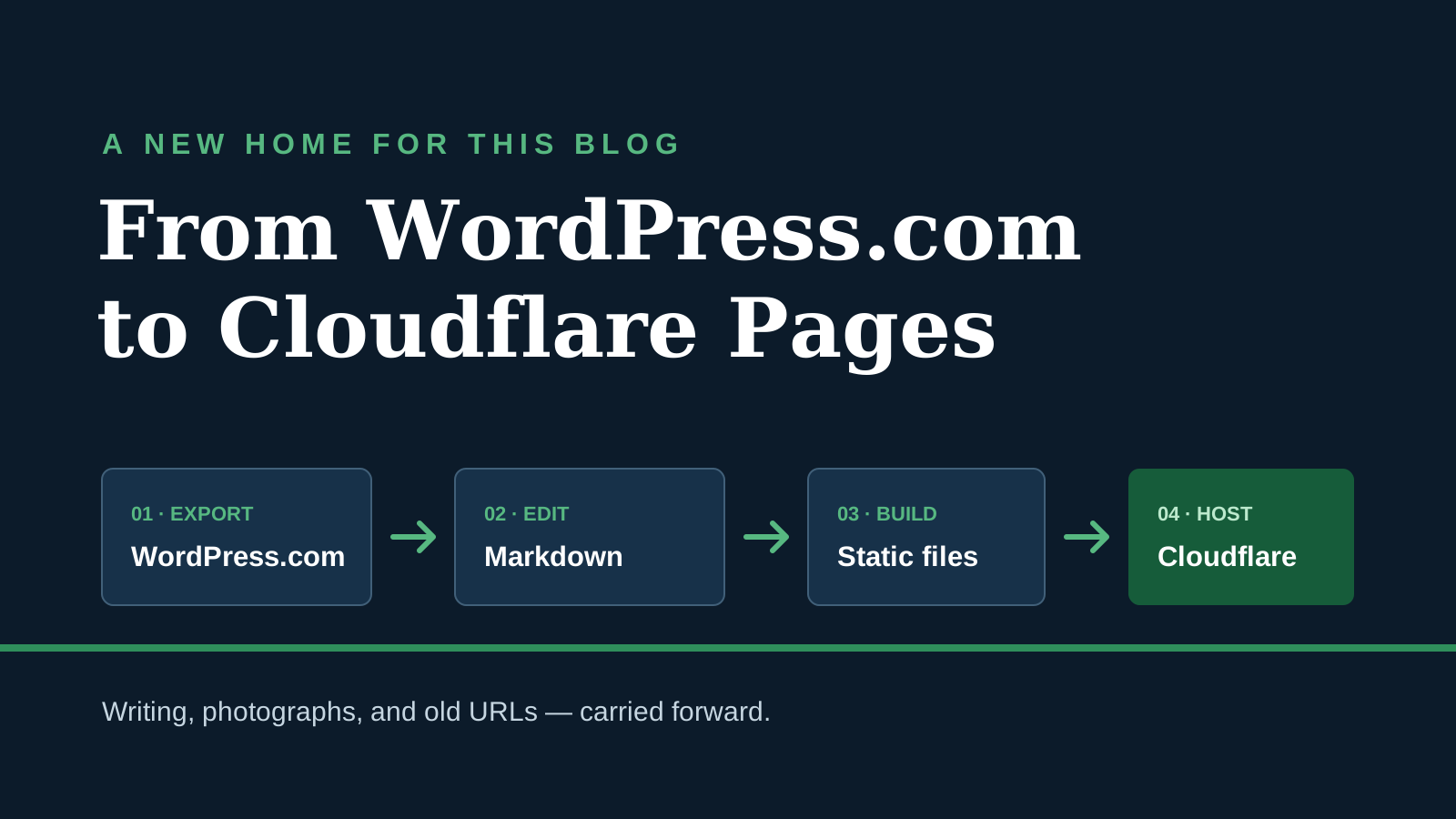
The current workflow is small enough to explain in a few lines:
WordPress export (one time)
             ↓
Editable Markdown and media in sources/
             ↓
Python build and verification
             ↓
Static files in dist/
             ↓
Cloudflare Pages
On my Windows machine, I run .\build.ps1 from the project directory. The script generates dist/ and then checks the published routes, canonical URLs, local links, search index, and sitemap. I can preview the result locally before uploading the generated files manually to Cloudflare Pages. The publishing step no longer requires a running WordPress installation.
The generated site includes article pages, category and date archives, search, an RSS feed, a sitemap, and redirects. These are ordinary static files. This approach gives me the control I wanted over the layout and the publishing process while keeping the site easy to host.
A practical migration checklist
If you are moving a similar blog, these are the checks I would make before calling the migration complete:
- Inventory the export and the live site. Record the posts, pages, publication dates, categories, tags, permalinks, attachments, and embeds. The XML gave me attachment records, but I still had to check the image files and external embeds themselves. I would keep a copy of the export and a list of the old URLs for comparison.
- Preserve URLs where possible. Each article in my Markdown source has a
permalink. Before publishing, I would compare it with the corresponding live URL. For a path that genuinely changes, I would add it tosources/legacy-routes.jsonso the build writes a permanent redirect todist/_redirects, then check its destination. Cloudflare Pages documents the_redirectsformat; Google's site move guidance explains why direct redirects and a clear URL map matter. If the domain changes too, the old host must be able to serve the redirect; a file on the new host cannot redirect requests that never reach it. - Check media and unusual articles by hand. I would open a sample of old posts, image-heavy posts, and pages with Flickr embeds. In this move, one externally hosted image failed to download, and Flickr needed separate handling. A successful content import alone would not have found every broken photograph.
- Build and verify the output. Here I run
.\build.ps1, which writesdist/and checks routes, canonical URLs, local links, search, and the sitemap. I would also open representative generated pages and check the final links and images in a browser before uploading. - Verify the deployed site. After uploading, I would open old article URLs and any changed routes, then check
/feed.xml,/sitemap.xml, and a few older images on the public domain. A route that should stay the same should load its article; a changed route should lead directly to its new page. I would then monitor indexing and crawl errors in Search Console rather than assuming that a passing local build proves the public site is correct.
The result
Clear prompts, followed by checking the output and refining what I asked for, gave me a result I am happy with. Codex saved me a great deal of time on the migration and the build workflow. Its front-end work surprised me too: it helped turn the archive into a site whose design I can keep improving.
I now own the source of the site in a form I can inspect and edit. I can change a post and its presentation together, run a local build, and check what will go live. There is no separate CMS database that the new build depends on.
What still needs work
The Markdown source is not as clean as I want it to be. Some articles still mix Markdown with raw HTML, and I repeat the same HTML structures in multiple places. I want to extend the build system with short, reusable syntax for those components so I can stop duplicating the markup.
The build and local checks are automated, but deployment still means manually uploading the generated site. I want to add a CI/CD pipeline so a verified build can be deployed automatically.
There is also a trade-off in leaving WordPress: I no longer have its editor and built-in conveniences. A static site does not automatically bring features such as comments or forms along with it. Cloudflare's WordPress-to-Pages guide calls out these limitations. For this personal site, I am comfortable handling the pieces I need myself.
But it is a worthwhile trade-off. Everything feels simpler and more efficient now. WordPress is a powerful, full-featured CMS, but honestly, I do not need that many features. I have also grown tired of wrestling with a WYSIWYG editor just to make each post look good.
If I were doing the migration again, I would still begin with an inventory: posts, pages, media, embeds, and old URLs. Then I would check a sample of the oldest and most unusual articles by hand. The homepage is easy to notice; a broken photograph in a ten-year-old post is much easier to miss.
This move gave me what I was looking for: control over my writing and design, with a build process I can understand from start to finish. I will keep improving the site and the workflow behind it.
Saigon, October 8, 2026
Hau Nguyen / Jason.
Discussion / Thảo luận
Comments / Bình luận
Chức năng bình luận hiện chưa khả dụng vì tôi vừa chuyển sang nền tảng hosting mới. Nếu bạn muốn trao đổi về bài viết, vui lòng liên hệ contact@jasonnguyenvn.com.
Comments are currently unavailable because I recently moved to a new hosting platform. If you would like to discuss this article, please contact me at contact@jasonnguyenvn.com.